PASS Symphonics Punch Lists: Action Items, Paperwork and Scheduling in One View
This one is for Symphonics service providers, the testing companies whose techs find the problems. Here are PASS's three punch lists in six screens, and the path a finding takes from the inspection to the next job.
1. Every open finding, worst first
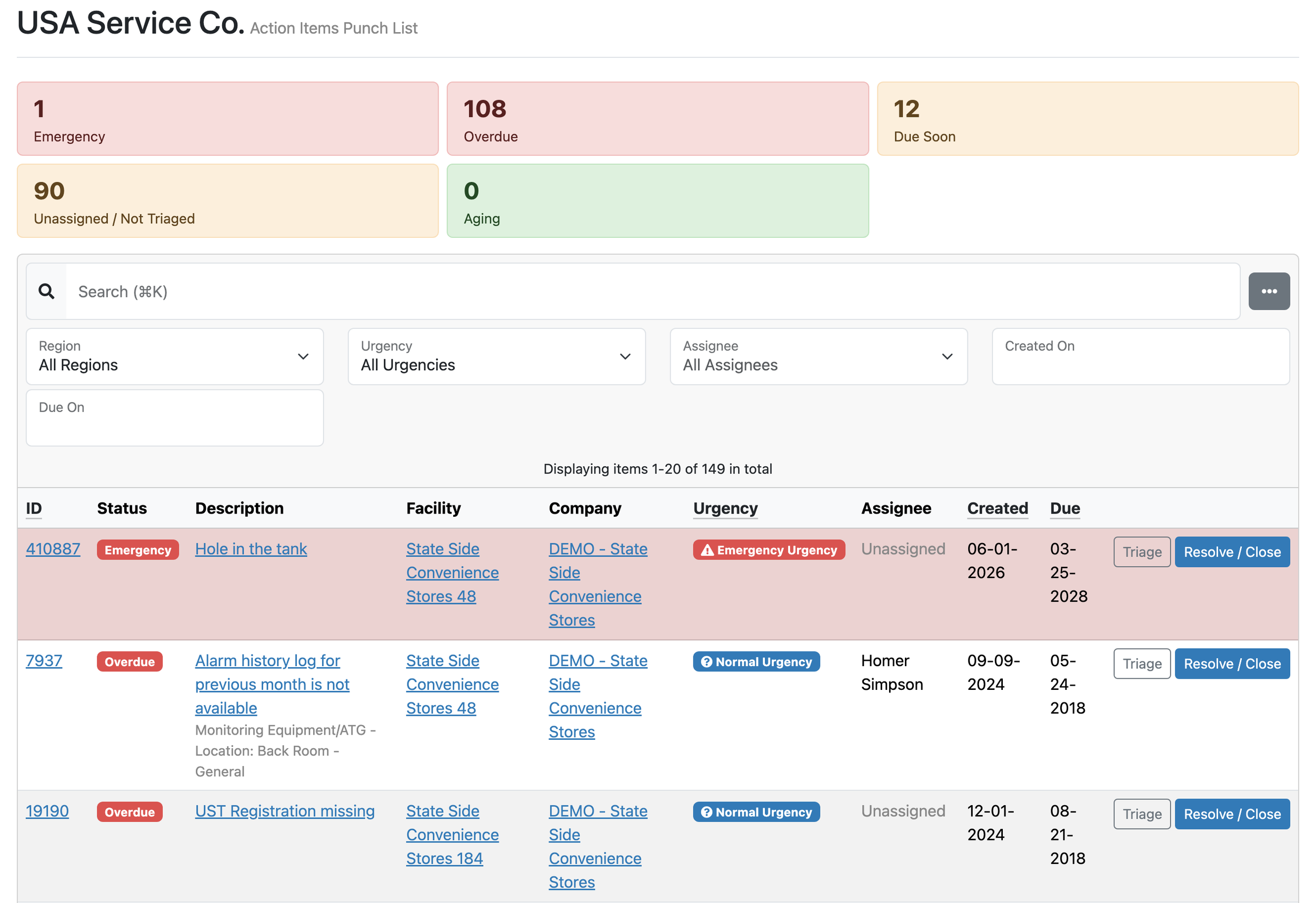
This is the Action Items Punch List: every open action item that needs attention, across your customers, on one list. The tiles sort them worst first: Emergency, Overdue, Due Soon, Unassigned / Not Triaged and Aging.
Each row has Triage and Resolve / Close on it. A new item is due in 14 days unless someone changes it. When it comes off the list, PASS records who did it and when.
A fail on page nine of a report has no owner and no due date. A row here gets both.
2. The answer writes the finding
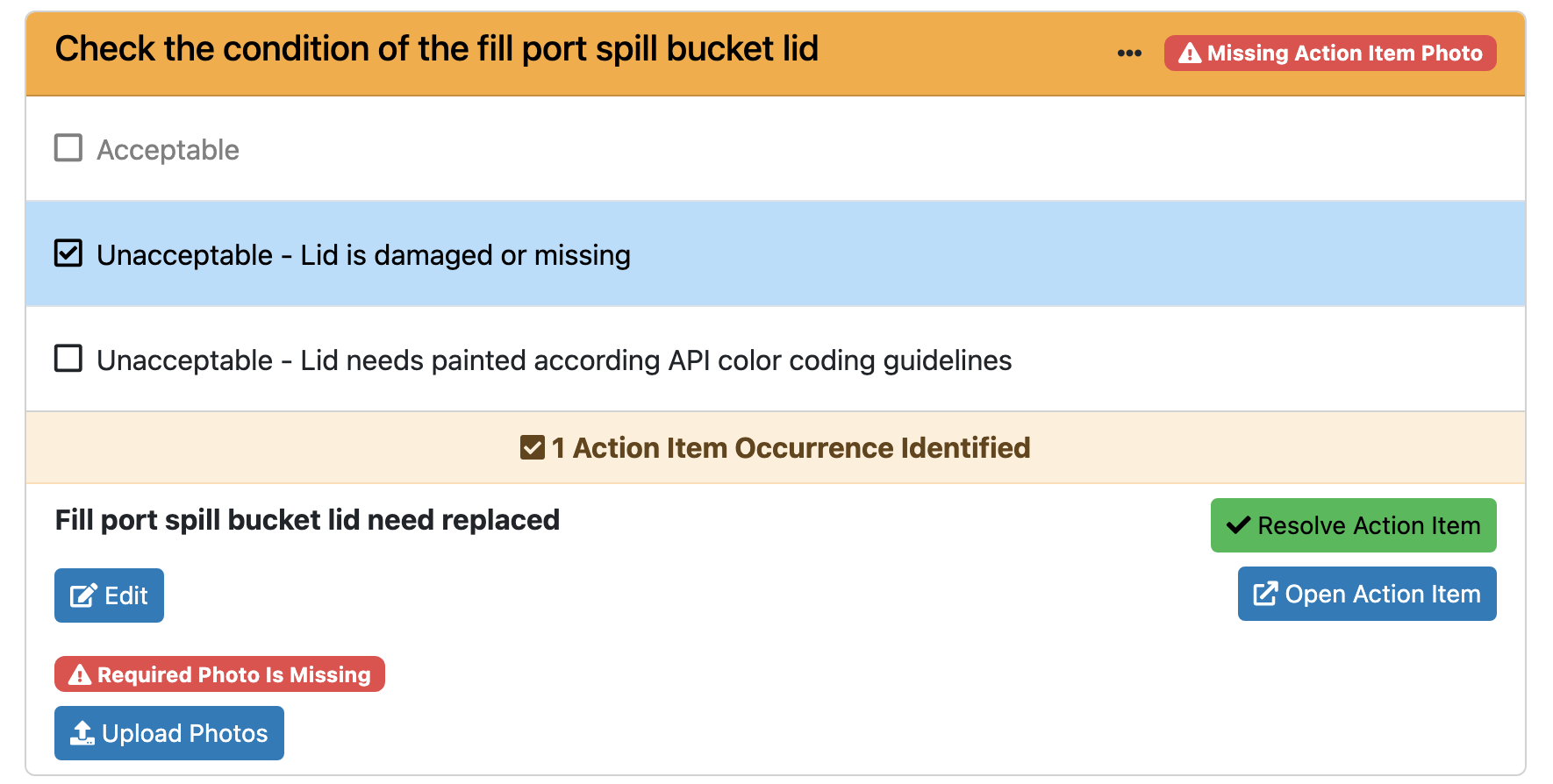
This is one question on an inspection. The tech picked “Lid is damaged or missing,” and that answer created the action item below it.
The wording comes from the form, so the same finding reads the same way at every site. This option needs a photo, so PASS flags Required Photo Is Missing until one is uploaded. If the problem comes back while the item is open, PASS adds an occurrence instead of a second item.
Nobody retypes a finding back at the office.
3. One decision: a person or a work order
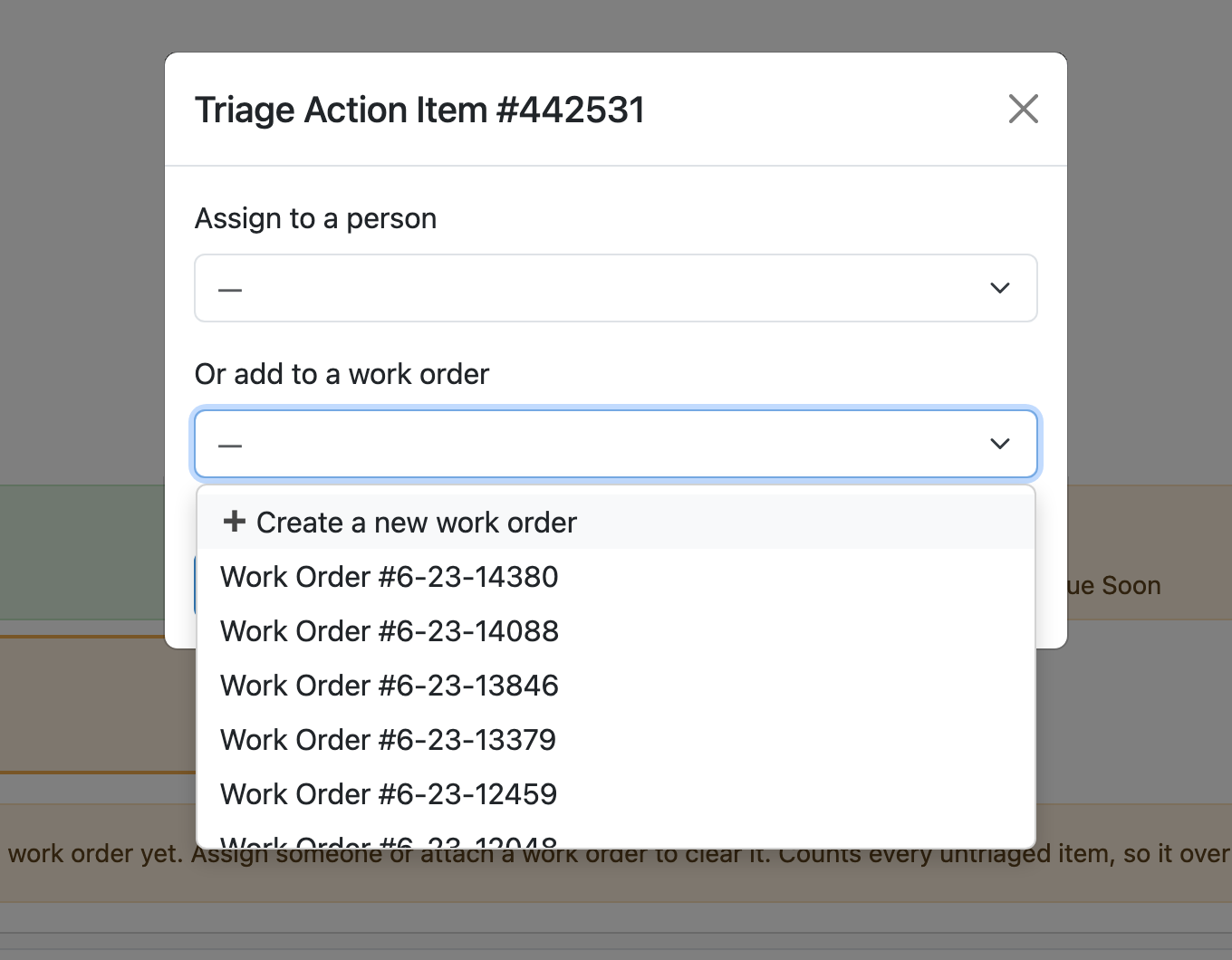
This is Triage. Assign the item to a person, or add it to a work order: an open one at that facility, or a new one.
Either choice clears it from Unassigned / Not Triaged. The person assigned gets an email.
Every finding leaves this window with an owner or a job.
4. The next job, waiting on a yes
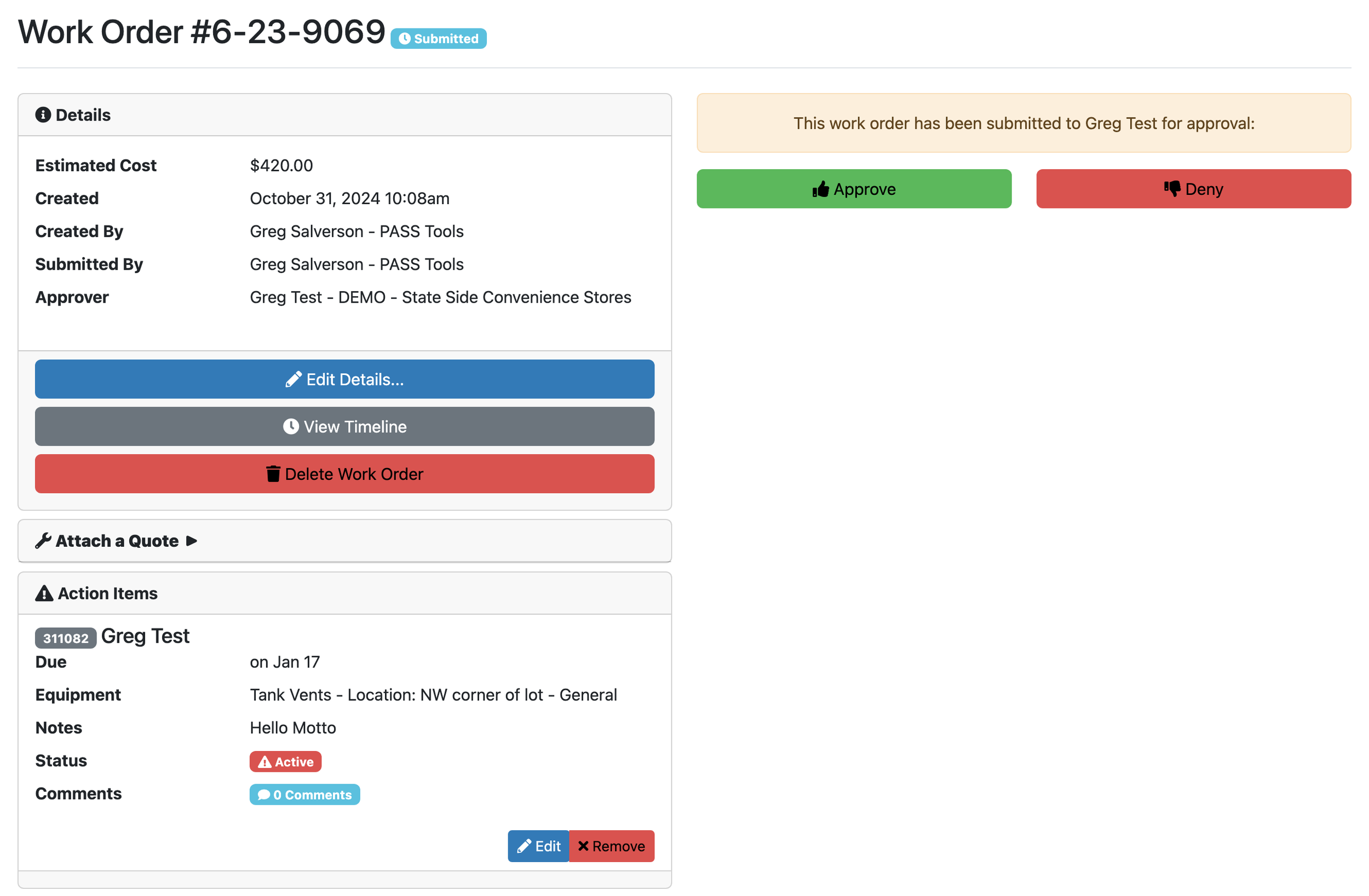
This work order carries an estimated cost, and it went to an approver on the customer's side as “submitted for approval.” A quote can ride along with it.
From approved it moves to dispatched and resolved. When the work order is resolved, every open action item on it resolves too.
This is where a finding becomes repair work, with the price in front of the person who says yes.
5. Paperwork that needs a solution
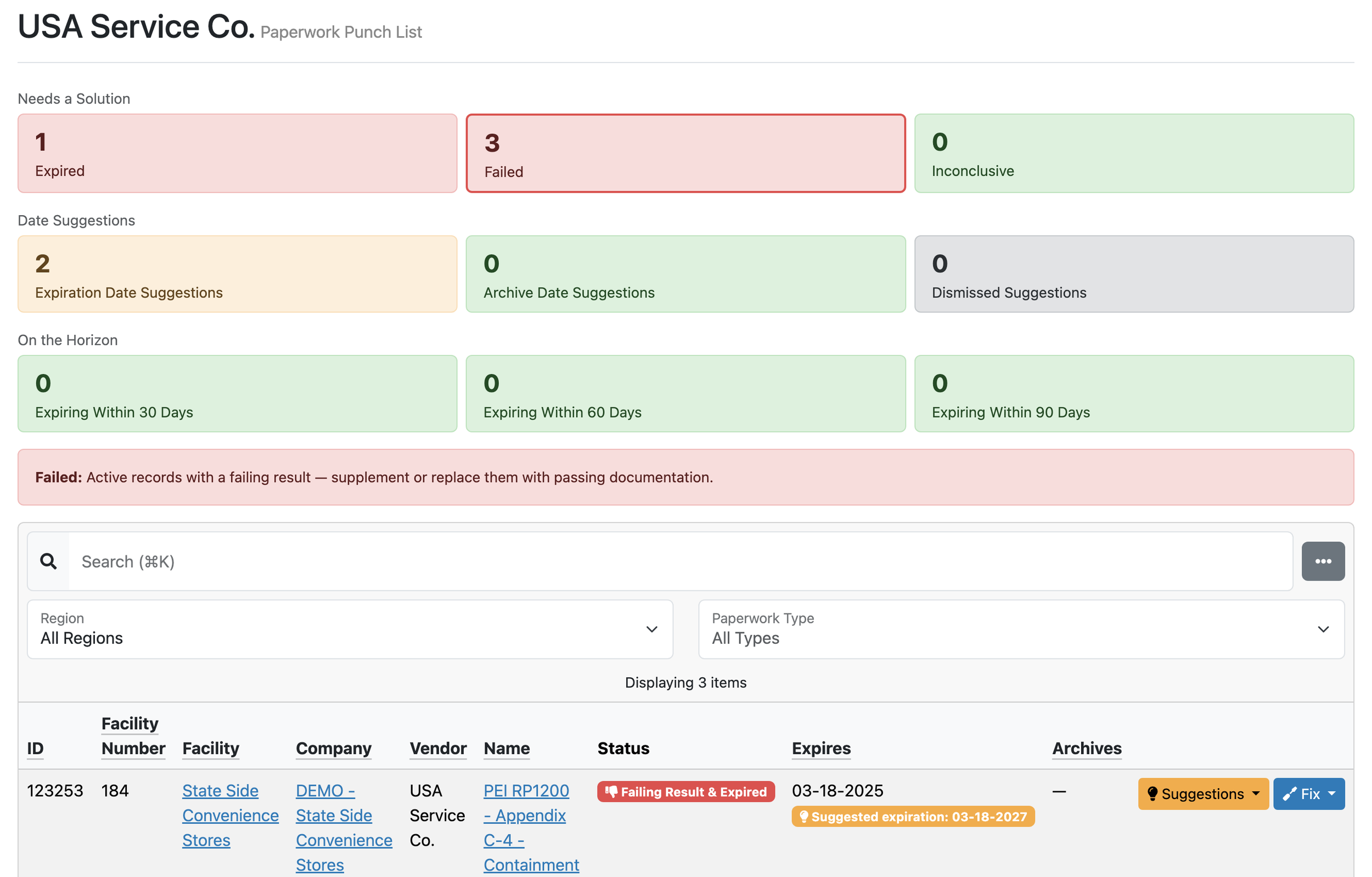
The Paperwork Punch List does for records what the first list does for repairs. Needs a Solution counts what's expired, failed or inconclusive. Date Suggestions shows where PASS proposes an expiration or archive date. On the Horizon counts what expires within 30, 60 or 90 days.
The row here is a containment sump test that failed and has also expired. Failed holds active records with a failing result until passing paperwork supplements or replaces them.
A failed test in a file is a finding too. This list keeps it in view.
6. Inspections that slipped
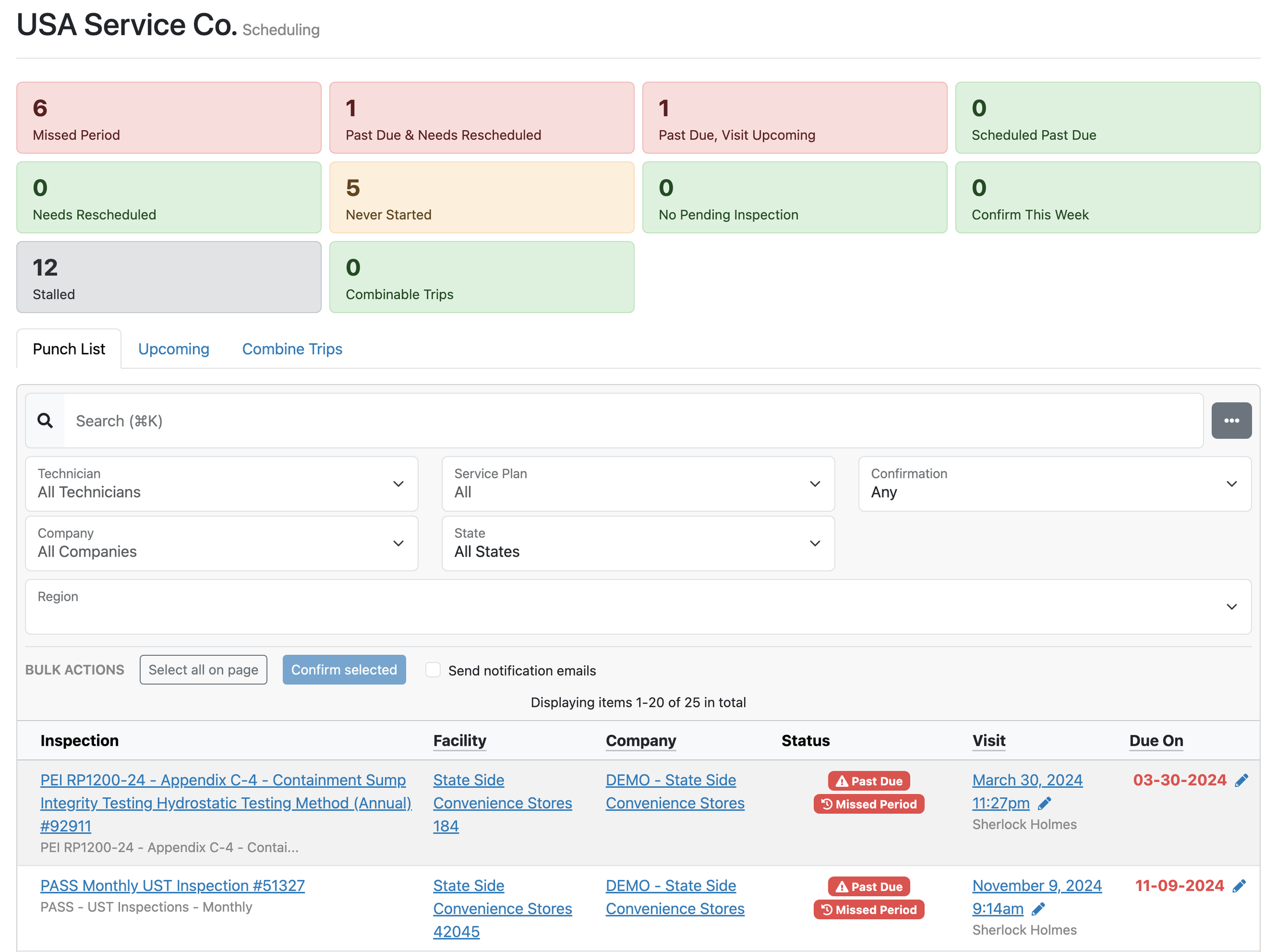
The third punch list lives on the Scheduling page. Its tiles count inspections that missed their period, went past due, never started or stalled.
Filter by technician, service plan, company or state, and confirm visits in bulk. A Visit groups a site's inspections and work orders into one trip, and the Combine Trips tab sits next to the list.
A late inspection shows up here before the customer calls about it.
PASS Symphonics runs your Visits, punch lists and customer reports in one place. Train. Inspect. Connect. Comply.
Come see all three punch lists at the NACS Show in Las Vegas, booth C6984 in Central Hall, October 7 to 9. The forms behind them are already built: PASS maintains the service plans and forms for every state you work in, so your punch lists fill from day one. Ask which of your states we already cover.