Harmonics ATG Connect: Poll, Command and Monitor Your Gauges Remotely
This one is for Harmonics owner/operators running a mix of tank gauges across many sites. Here's ATG Connect in six screens, starting with what buyers ask us about most: reaching a gauge from the office, not only looking at it.
1. One page per gauge
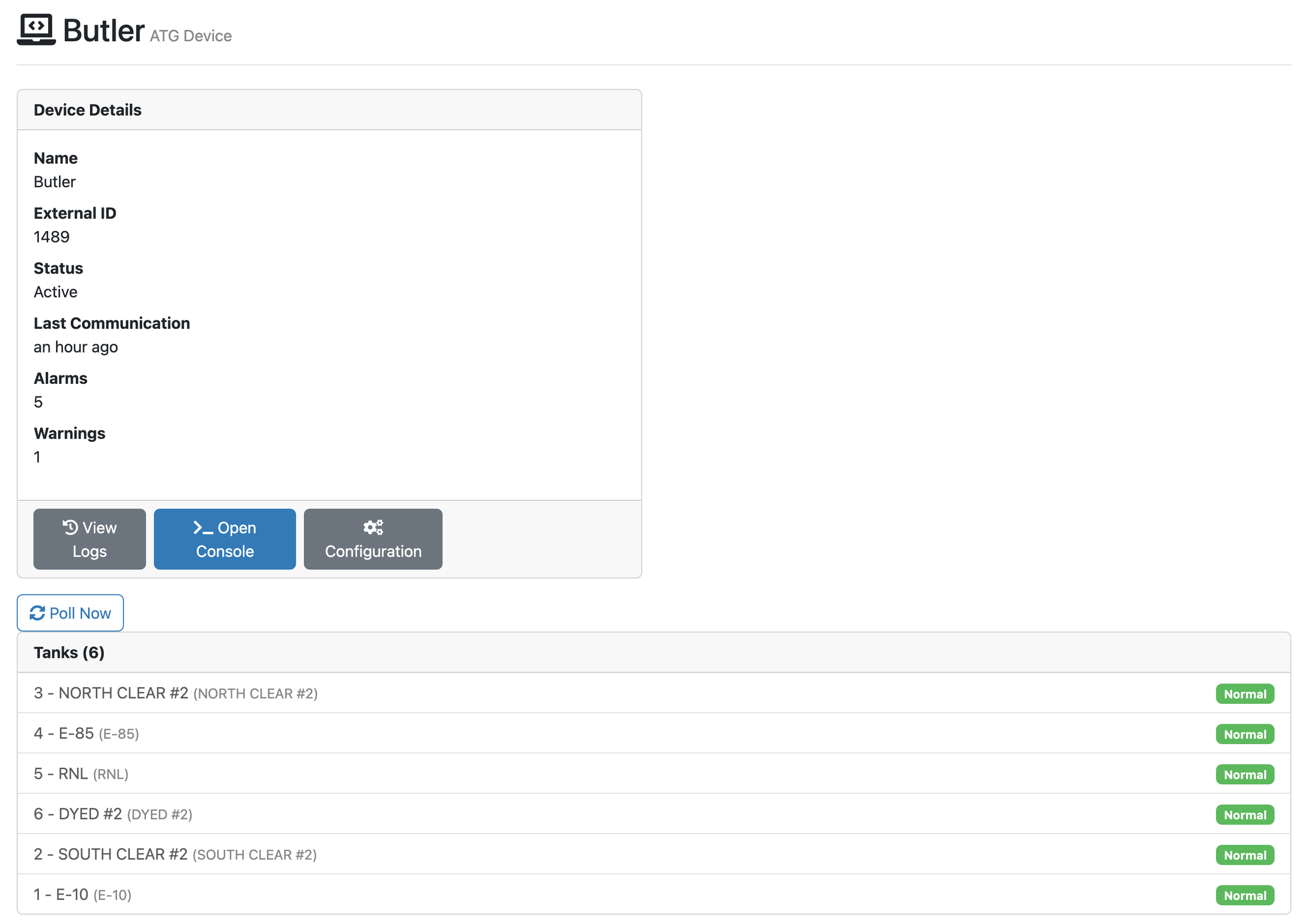
This is one gauge's page. It shows whether the gauge is active, when it last reported, its alarms and warnings, and every tank it watches.
Poll Now asks the gauge for new inventory readings and active alarms, when you want them. Open Console sends it commands. PASS also saves a copy of the gauge's setup each week and sends an ATG Configuration Changed alert, with the before and after, when it differs.
A dashboard shows what the gauge said last. This page lets you ask it again.
2. The ATG Console
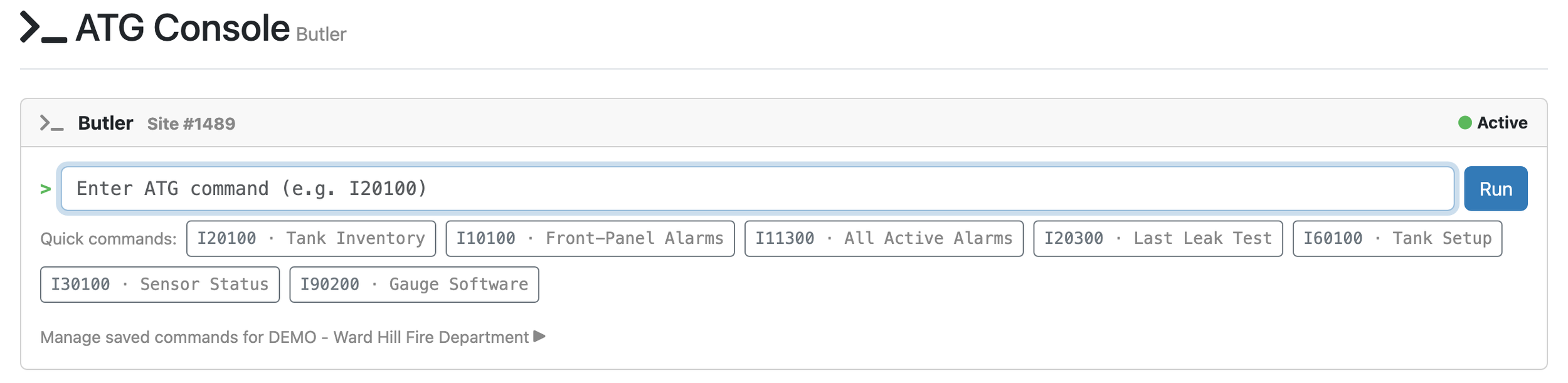
This is a command line to the gauge itself. A company admin types a command, and the gauge's answer comes back on screen.
It takes the gauge's own command codes, not a fixed menu. Quick commands put the common ones a click away: tank inventory, active alarms, last leak test, tank setup, sensor status and gauge software.
The question you'd drive out to ask, you can ask from your desk.
3. An alarm with a name on it
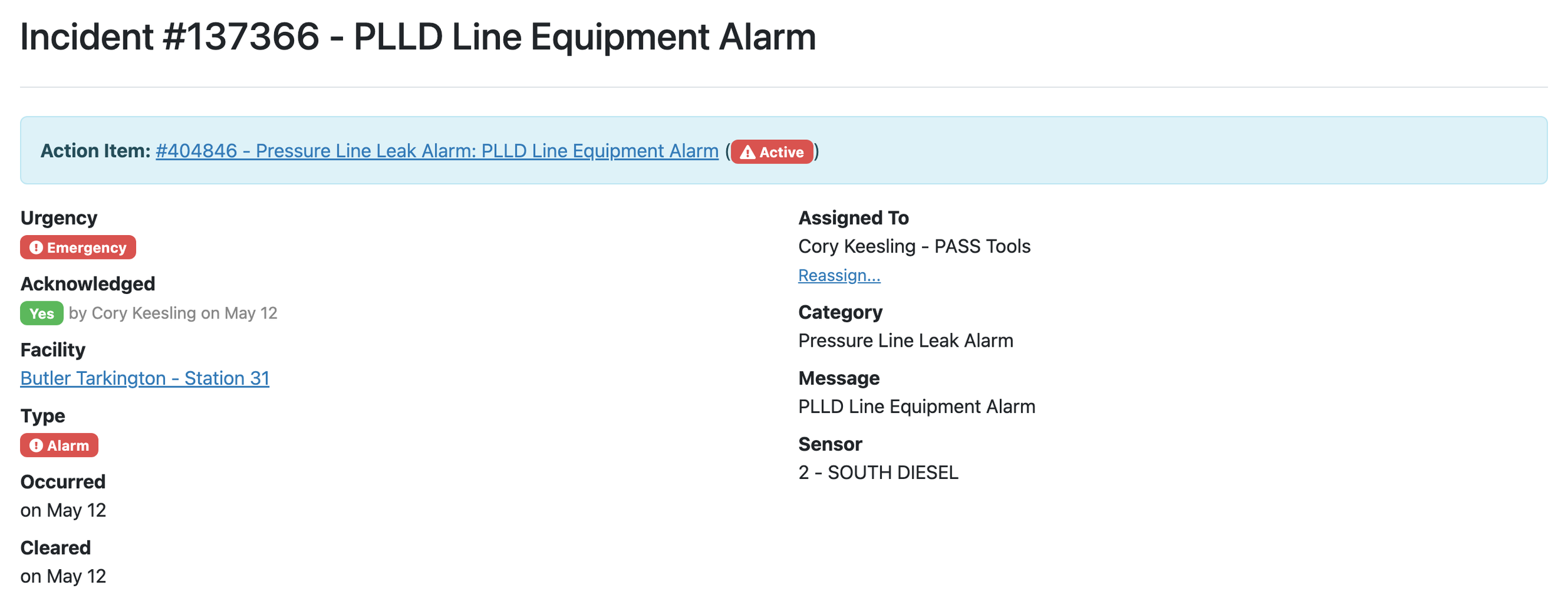
Every alarm becomes an incident like this one. It carries an urgency, who acknowledged it and when, and who owns it.
The person assigned gets an email. Each urgency has a triage clock, one hour for an emergency by default, and your company can set its own. Create Action Item turns the alarm into tracked repair work, and the bar at the top links the two.
An alarm on a screen isn't a response. This one has an owner.
4. Which gauges went quiet
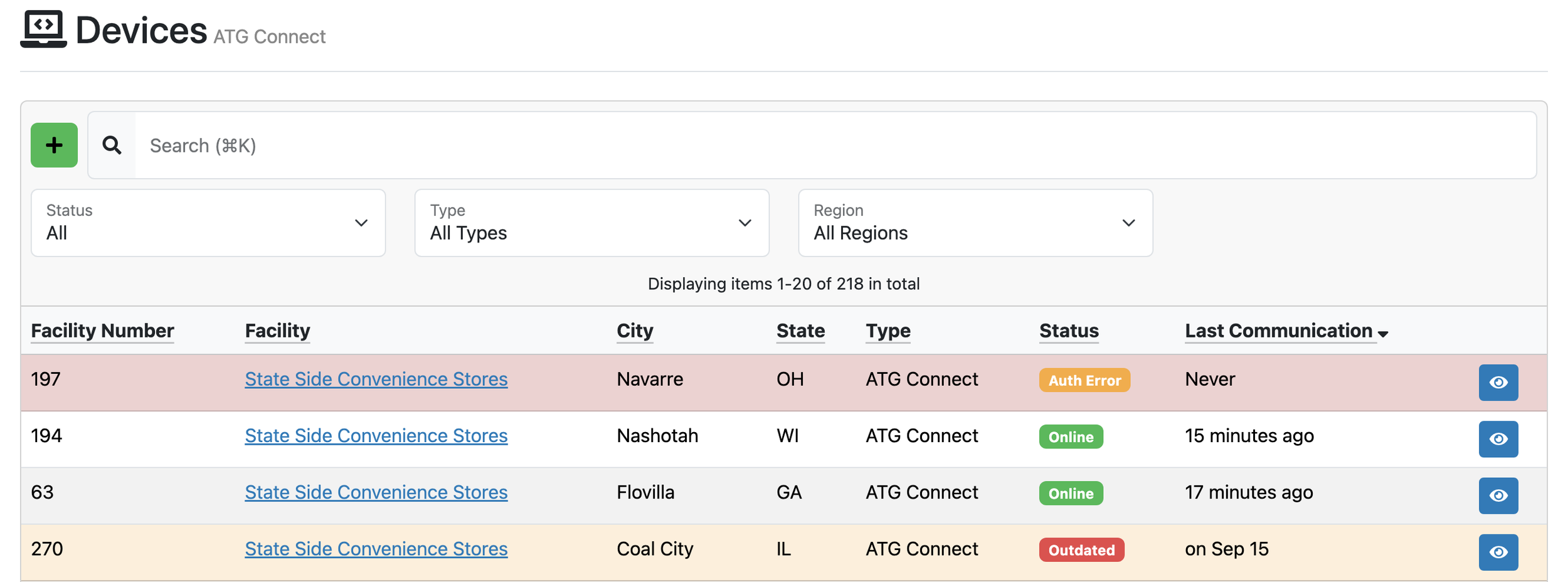
Every connected gauge sits on one list, with its status and when it last reported. Two here are Online. One stopped on Sep 15 and is marked Outdated.
A gauge that hasn't reported in four hours is marked Outdated, and a Device Communication Alert lists those gauges each morning. ATG Connect works across mixed gauge brands, so nobody rips out working equipment to get on this list.
A quiet gauge looks like a quiet site. This list keeps “no data” from being mistaken for “no alarms.”
5. Every tank, water and runout included
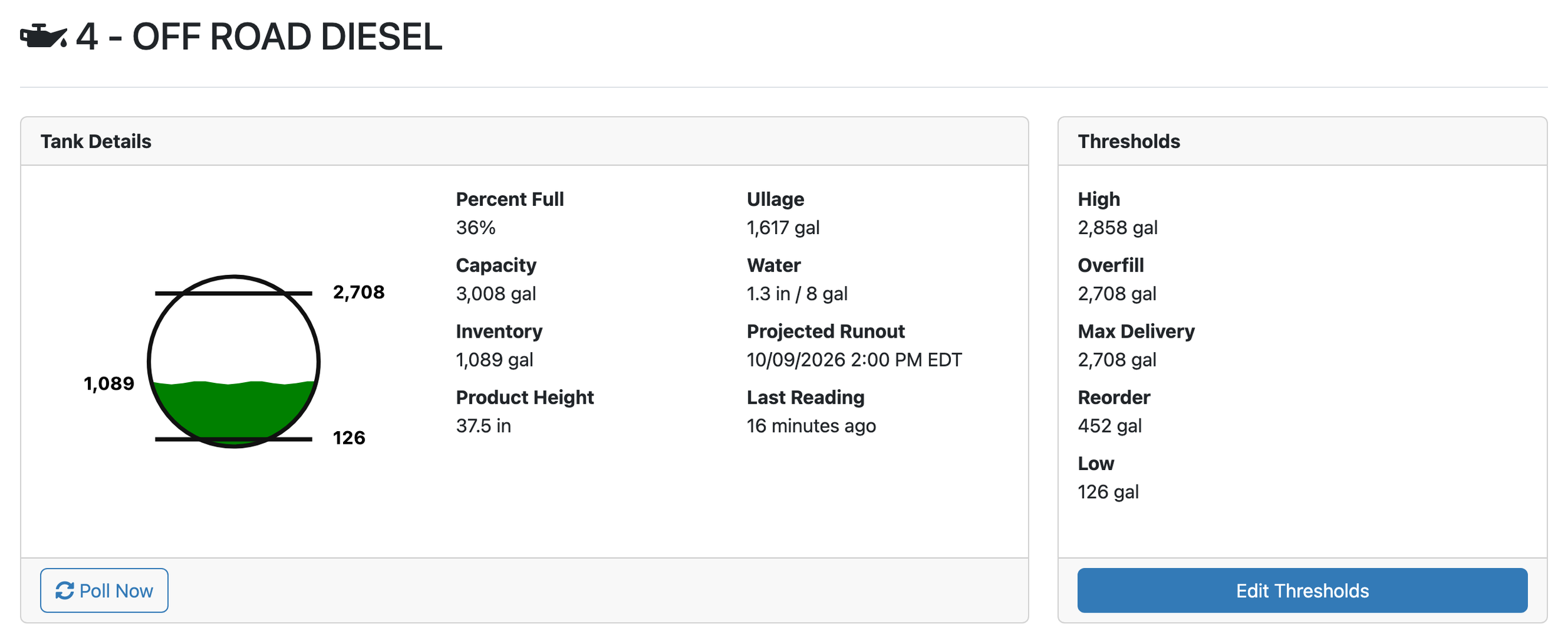
This is one tank: how full it is, how much water sits in the bottom, and when it's projected to run out. The thresholds you set are on the right.
Poll Now works here too. The Daily Inventory Report lists every tank's water height each morning, and Inventory Detail keeps the height from every reading.
Water that creeps up slowly may never cross an alarm line. A daily look catches it.
6. The records an inspector asks for
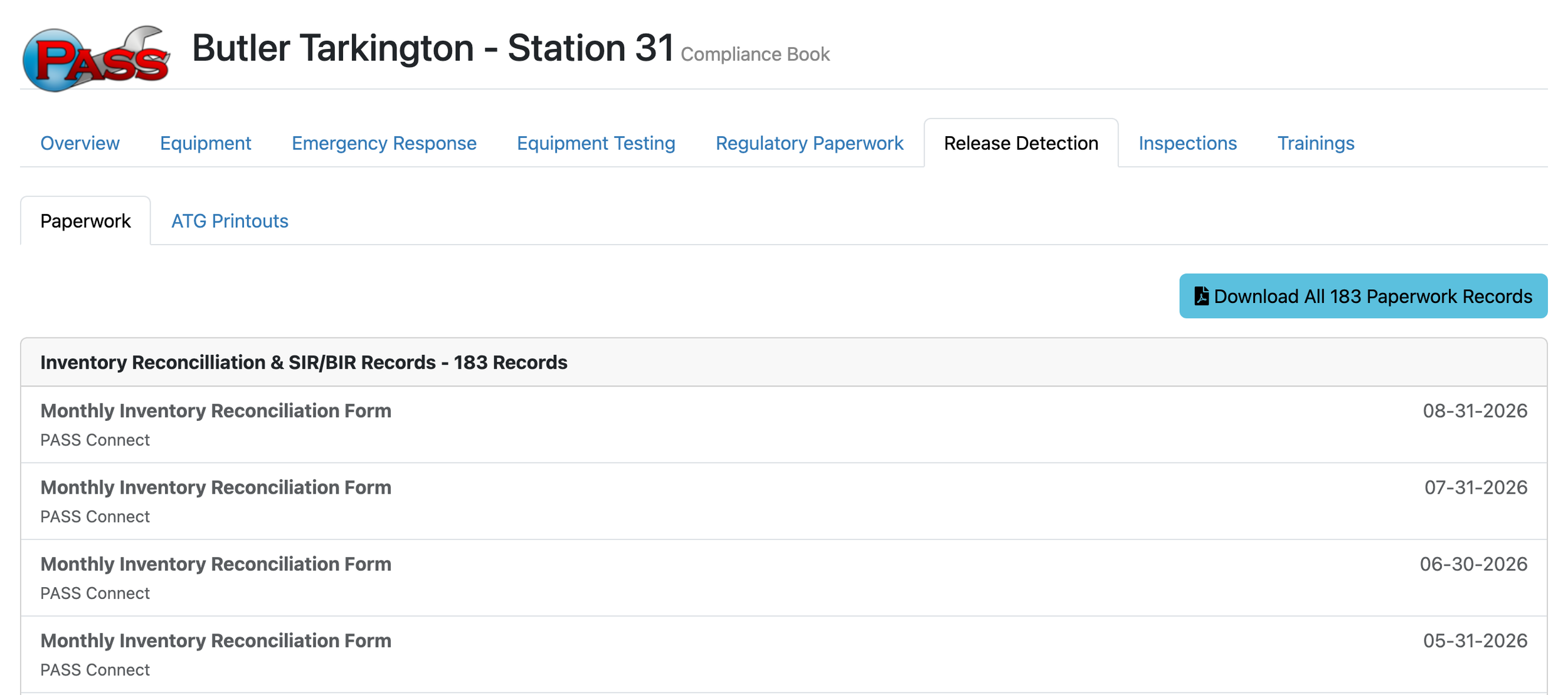
This is the facility's Compliance Book, open to Release Detection. Each monthly inventory reconciliation shows PASS Connect as its source, and all 183 records download in one go.
Reconciliation comes out monthly, or in the Connecticut, Maryland or New York format where the site sits. Each is filed with a pass or fail. Share the book with an inspector by a link that expires after 30 days.
Nobody pulls printouts the week the inspector is due.
ATG Connect is part of PASS Harmonics, on the same facility record as your inspections and paperwork. Train. Inspect. Connect. Comply.
Come see it at the NACS Show in Las Vegas, booth C6984 in Central Hall, October 7 to 9. ATG Connect works with the major gauge brands your sites already run, so nothing gets replaced to get connected. Ask which of your sites we can connect first.